

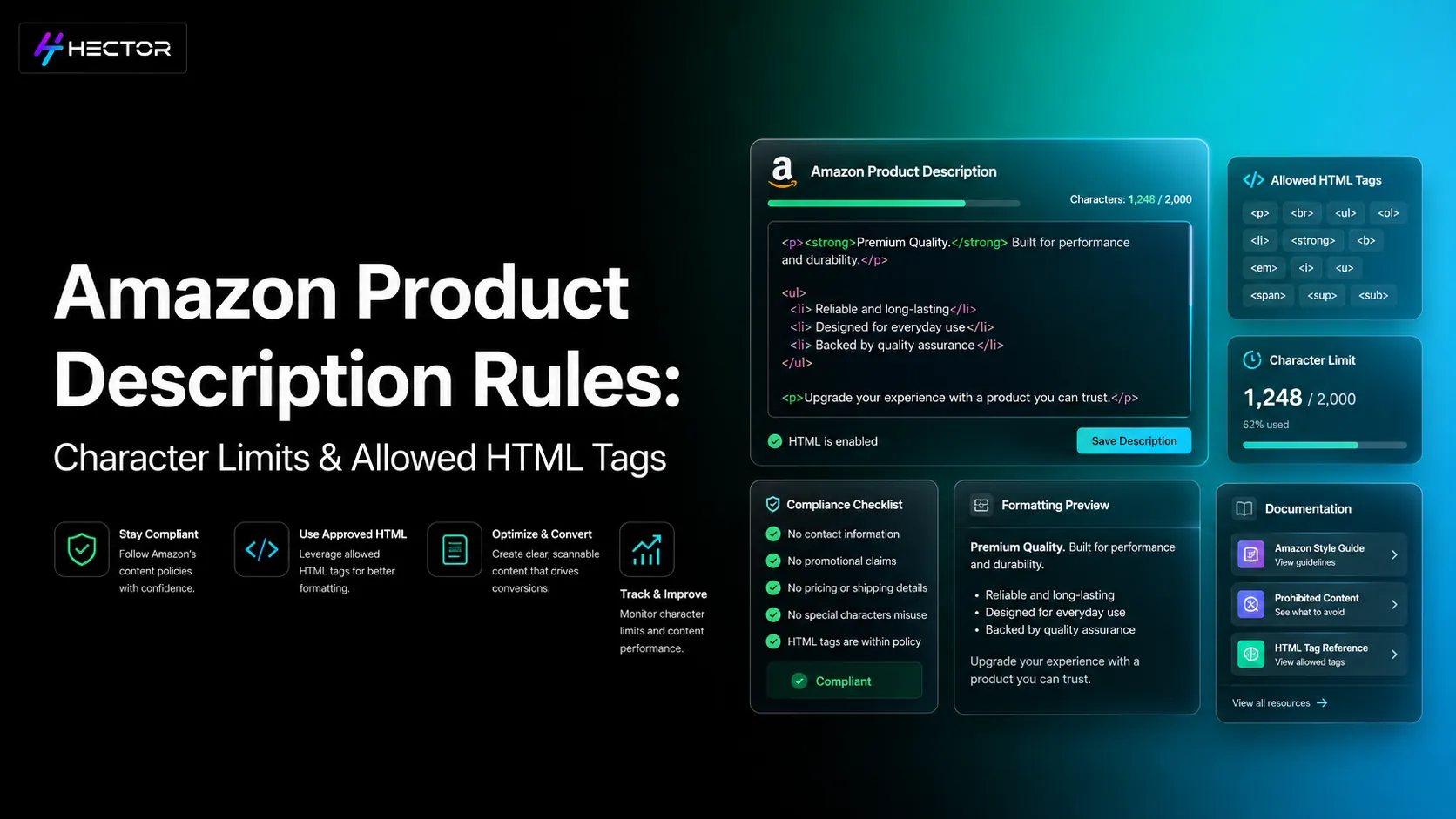
Consider your description a dynamic document that you can test, improve, and modify in response to changes in Amazon's policies and customer behavior. When done well, it can convert surfers into purchasers and irregular customers into loyal buyers.Amazon shoppers don't browse the aisles like they would at a grocery store. They browse a digital shelf that is overflowing with options. Your Amazon Product descriptions are your online sales pitch in this context; they are more than just words. A compelling description boosts conversions, enhances search visibility, and persuades hesitant buyers. On the other side, poor or invalid descriptions might make a listing fail. This blog breaks down the essential Amazon product description rules, how to use Amazon product description HTML for formatting, and the elements of high-converting copy that turn clicks into sales. Although a customer may be drawn to your photos, buying choices are made based on the product description. This is where you describe the product, its significance, and the value of purchasing your version. While Amazon’s Search Algorithm (A9) algorithm primarily emphasizes titles, bullet points, and backend keywords, optimized descriptions still reinforce relevance and improve conversions — which indirectly boosts ranking. Not only do well-written descriptions with appropriate search terms convert more effectively, but they also rank higher, attracting more customers. In simple terms, a description serves as both an SEO asset and a sales tool. Sellers are not allowed to write anything they want on Amazon. Amazon has strict rules for Product Descriptions in order to maintain a uniform and user-friendly marketplace: Length: Descriptions must be under 2,000 characters. Keep it concise and avoid fluff. No prohibited content: Promotional claims such as "#1 Best Product," external links, and private seller information are prohibited. Be accurate: Avoid making fabrications (such as "treats back pain"; this will be flagged). Stay compliant across regions: Rules may differ slightly between Amazon US, India, and the EU. For instance, certain areas have stricter restrictions on medical claims. Formatting: Only use HTML that is allowed; Amazon removes tags that aren't supported. Suppressed listings or even account warnings may follow violations of these guidelines. It is difficult to read a wall of plain text. For this reason, sellers organize their products using Amazon description HTML. Even though Amazon doesn't permit sophisticated styling, simple tags can have a significant impact: <br> for line breaks <b> for bold emphasis <ul> and <li> for bullet points <p> for paragraphs Here’s a quick example of Amazon product description HTML in action: <p><b>Why Choose Our Backpack?</b></p> <ul> <li>Lightweight yet durable</li> <li>Water-resistant fabric</li> <li>Fits laptops up to 16 inches</li> </ul> Since the majority of customers read on mobile devices, this layout makes your listing quick to scan rather than having a single, lengthy block of text. Note: If you have A+ Content (Enhanced Brand Content), the HTML product description appears below it on desktop and mobile, so structure it cleanly for SEO and keyword inclusion. Not every description is made equal. The following elements are common to the Amazon descriptions that convert the best: Before "Read More," the first two lines are shown. Make use of them to emphasize the primary advantage. For example: “Sleep cooler and deeper with our breathable memory foam pillow designed for all-night comfort.” Customers care about outcomes, not specs. Feature: “Made from stainless steel.” Benefit: “Rust-resistant steel ensures long-lasting durability.” To establish credibility, bring up rewards, guarantees, or certifications. "Great quality" is significantly weaker than "trusted by 10,000+ parents." Help buyers visualize. Say "Lights up your campsite with a powerful 500-lumen beam that feels like daylight" rather than "500-lumen flashlight." You can’t say “Buy Now!” but you can nudge. Examples: “Perfect for busy travelers and students.” “Upgrade your morning routine with one click.” The majority of sellers stop at keyword stuffing and layout. The top Amazon descriptions, however, do more: Customer reviews & Q&A: Speak directly to the customer. If "easy to assemble" is mentioned in reviews, make sure you emphasize it in your description. Address objections: Respond to the copy if customers frequently inquire about battery life. Add reassurance: Whenever allowed, bring up warranties, durability, or money-back guarantees. This not only influences conversions but also reduces returns. It is a mistake to write once and then stop. Smart sellers experiment with various strategies. One way to figure out which description translates better is to use A/B testing tools or even rotating versions. Key metrics to track: Click-through rate (CTR) Conversion rate Bounce or exit rate Amazon Marketing Cloud gives sellers visibility into exactly which description variations and keywords are driving these metrics across campaigns. Conversions can be significantly increased with even minor adjustments, such as rearranging the bullet points or revising the opening hook. If you’re Brand Registered, Amazon’s Manage Your Experiments tool allows A/B testing of Product Descriptions and titles directly within Seller Central, helping identify which version drives better conversions. Tools like Hector Ai or Amazon Brand Analytics can help monitor keyword performance, CTR, and conversion metrics across different product description variations. In addition to competing on Amazon, your product page may also show up in Google search results. Using long-tail keywords to optimize Amazon Product Descriptions helps in drawing in outside traffic. Example: Instead of just “wireless headphones,” add “best wireless headphones for travel” or “Bluetooth noise-canceling headphones.” These phrases help Google pick up your listing. Using wide, semantically relevant terms in your description also helps external traffic sources like blogs, influencer mentions, or backlinks. A strong description also improves how your listing performs in Amazon Sponsored Ads, since relevant copy increases Quality Score and lowers cost per click on matching search terms. Selling internationally? Don’t just translate—localize. Use local units (kg vs lbs, cm vs inches). Modify your idioms and tone. In Japan or Germany, a lighthearted US description might not be well received. Respect regional certifications (FDA disclaimers in the US, BIS in India, and CE mark in Europe). Localized descriptions build trust and prevent compliance issues. An excellent Amazon product description is more than just words; it serves as a link between the reader and the purchase. You can stand out in a competitive market by following Amazon product description guidelines, using Amazon product description HTML for structure, and incorporating benefit-driven, emotional text. Consider your description a dynamic document that you can test, improve, and modify in response to changes in Amazon's policies and customer behavior. When done well, it can convert surfers into purchasers and irregular customers into loyal buyers.Why Amazon Product Descriptions Make or Break Sales
Amazon Product Description Rules You Must Follow
Amazon Product Description HTML: Formatting for Readability
Elements of a High-Converting Amazon Description
1. A Clear Hook
2. Features Translated Into Benefits
3. Social Proof & Credibility
4. Emotional & Sensory Language
5. Compliance-Friendly CTAs
Going Beyond the Basics
Testing and Optimizing Amazon Descriptions
Amazon Descriptions as SEO Assets Beyond Amazon
Localizing Amazon Descriptions for Global Sales
Conclusions
Amazon Product Description Rules: Character Limits & Allowed HTML Tags
Frequently Asked Question
Amazon Product Descriptions assist shoppers in making decisions and increase a product's exposure in search results by outlining its features and advantages.
Focus on benefits and clarity while keeping it under 2,000 characters.
These rules set length restrictions, prohibit specific claims, and guarantee loyalty to Amazon's policies.
It increases conversions, particularly for mobile buyers, makes information scannable, and makes content easier to read.
Yes, but include them organically. Stuffing keywords degrades ranking and readability.
Yes, effective descriptions can draw in outside traffic and score well on Google.