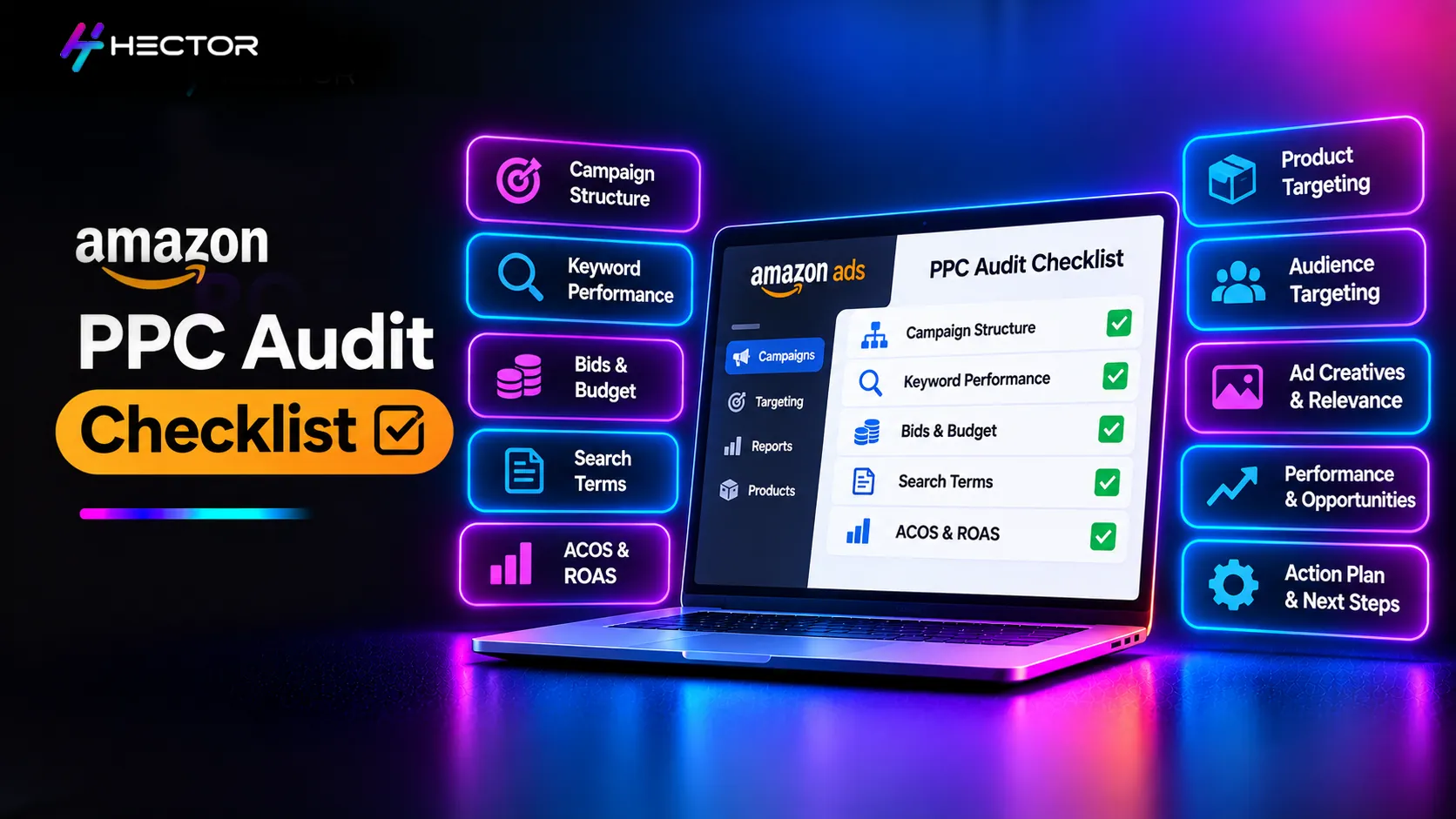
TL;DR: The 7-Step Amazon PPC Audit Step 1: Campaign Structure, check that auto and manual campaigns are separate, match types are organised, and there is a clear naming convention. Step 2: Budget and Pacing: identify campaigns going over budget early in the day and shift spend away from consistently underperforming ones. Step 3: Search Term Report and Negative Keywords, pull the last 30 days, and block non-converting queries. This is a common source of wasted ad spend. Step 4: Keyword Match Types and Bid Levels, confirm bids reflect actual conversion rates, and that high-performing exact-match terms are not buried in broad or auto campaigns. Step 5: Listing and Conversion Readiness, check that the product pages your ads send traffic to are actually capable of converting. Step 6: Placement Performance, compare Top of Search, Rest of Search, and Product Page placements. Shift bids toward the placements that convert. Step 7: ACoS, ROAS, and Account-Level View, step back from campaign-level numbers and assess whether the account as a whole is trending in the right direction. |
You set up the campaigns three months ago. Bids were placed, keywords were added, and the account started spending. For a few weeks, things looked reasonable. Then, gradually, ROAS began to slide. ACoS climbed past the target. The budget is being spent in full each day, but the orders are not keeping pace.
You open the campaign manager and look at the numbers. Nothing looks obviously broken. No campaigns are paused. No keywords are flagged. The account is just performing worse than before, and you cannot pinpoint exactly where the problem started.
This is what campaign drift looks like. It is not a single catastrophic failure. It is the quiet accumulation of small inefficiencies that compound over weeks: a search term that keeps triggering your ad without converting, a bid that made sense in month one but is now too high relative to your conversion rate. A placement may consume 40% of your budget while converting at half the rate of your best-performing placement. For example, this could happen when one ad placement spends heavily but generates fewer orders than another.
The fix is an audit. Not a glance at the numbers, a structured, step-by-step review that looks at the right things in the right order and produces a concrete action for each finding. This 7-step checklist is the review.
Why Amazon Campaigns Drift Over Time
Think of your campaigns the way you would think about your own health. If you eat reasonably well and exercise occasionally, you will probably feel fine for months without paying close attention. But that does not mean nothing is changing. Habits slip. Stress affects sleep. Cholesterol edges up. You do not notice any of it until you get a blood test and the doctor shows you the trend line.
Amazon campaigns work the same way. A new competitor enters your category and bids up CPCs for your best keywords. A broad match keyword starts triggering your ad for searches that are tangentially related but rarely convert. A product you advertised heavily last quarter has seen its review rating slip, reducing its conversion rate, but the bid targeting it has not changed.
None of these changes set off an alarm. The campaign keeps spending. The account keeps reporting numbers. But the efficiency is eroding, and it stays hidden until you look for it specifically.
| An Amazon campaign is not a machine you set up and walk away from. It is a living account that interacts with a competitive marketplace that changes daily. An audit is how you find out what the market has done to your account since you last looked properly. -- Meher Patel, Founder & CEO of Hector Ai and Amazon Ads Top 20 Global Partner |
Before You Start: Pull the Right Data
Before working through the seven steps, pull the reports you will need. Going back and forth between audit steps and data collection slows the process down and makes it easy to miss things.
Reports to download before starting the audit From Seller Central > Advertising > Reporting: Sponsored Products Search Term Report, last 30 days Sponsored Products Campaign Report, last 30 days Sponsored Products Placement Report, last 30 days Sponsored Brands and Sponsored Display equivalents if running Review the attribution window before downloading reports. Amazon's attribution windows vary by campaign type and advertiser type. Confirm the applicable window in Amazon Ads reporting and use consistent settings when comparing campaign performance. |
The 7-Step Amazon PPC Audit
Step 1: Campaign Structure |
What to look at: |
Separation: Auto and manual campaigns should be separate, not mixed in the same ad group. When they share a campaign, you lose the ability to set different bids for auto-discovered terms and manually proven keywords. |
Match type organisation: Broad, phrase, and exact match keywords should ideally be in separate campaigns or clearly separated ad groups. Mixing match types makes it impossible to see which one is driving performance. |
Naming convention: Can you tell from the campaign name what the product is, the match type, and the targeting strategy? If not, you will lose track as the account grows. |
Keyword cannibalization: Check whether the same high-volume keyword is targeted across multiple active campaigns promoting the same product. Overlapping targeting can complicate performance analysis and make it harder to allocate budgets and bids effectively. Review duplicate targeting and consolidate it where appropriate. |
Action: Consolidate duplicate keyword coverage across campaigns. Separate auto and manual targeting. Rename campaigns that do not follow a clear convention before adding any new ones. |
Step 2: Budget and Pacing |
What to look at: |
Budget exhaustion: Which campaigns are hitting their daily budget limit before the day ends? A campaign that runs out of budget at 2 pm is invisible for the rest of the day. If it is your best-performing campaign, this is a revenue constraint. If it is a poor-performing one, it is wasting money that could go elsewhere. Amazon PPC Dayparting helps here, because it lets you raise or lower bids and budgets for specific hours instead of leaving spend flat all day. |
Budget allocation logic: Are your best-converting campaigns getting enough budget? Are campaigns with consistently high ACoS still receiving the same budget they were given at launch? Budget allocation should reflect current performance, not the original plan. |
Inactive campaigns with budget: Check for campaigns that are technically active but generating very few impressions. A budget sitting in a campaign that is not being spent is not working for you. |
Action: Increase daily budget for campaigns that exhaust early and have strong ACoS. Reduce or pause the budget for campaigns with high ACoS and no conversion trend over 30+ days. Rebalance toward proven performers. |
Step 3: Search Term Report and Negative Keywords |
What to look at: |
Non-converting search terms: Sort the search term report by spend, highest to lowest. Look for search terms that have consumed 20 or more clicks without generating a single order. These are burning a budget on traffic that does not buy. |
Irrelevant queries: Broad and auto campaigns frequently match search terms that are tangentially related to your product but not actually relevant to it. A water bottle getting shown for 'water filtration system' is an example: related category, very different purchase intent. |
Existing negative keyword list: Check your current negative keyword list. Is it being updated regularly? An empty or minimal negative keyword list in an account that has been running for months is a strong signal of missed optimisation. Amazon Ads Optimization with rule-based keyword negation can keep that list current without a manual review every month. |
Action: Add high-spend, zero-conversion search terms as exact match negatives. Add clearly irrelevant queries. Move high-converting search terms from auto campaigns into manual campaigns as exact-match keywords with dedicated bids. |
Step 4: Keyword Match Types and Bid Levels |
What to look at: |
Bid-to-conversion alignment:
Estimate your maximum cost per click (CPC) using this formula: Maximum CPC = Product price × Target ACoS × Conversion rate Use the target ACoS and conversion rate as decimals. For example, if your product sells for ₹1,000, your target ACoS is 25%, and your conversion rate is 10%, your estimated maximum CPC is ₹25. This is a bid-planning estimate for meeting your target ACoS, not a guarantee of profitability. Your actual profitability also depends on product costs, fees, and other expenses. |
High-converting terms on broad match: Check your auto campaign search term report for queries that convert well. If those terms are only captured in auto or broad-match campaigns, they are receiving a lower bid than they deserve and may be losing to competitors with dedicated exact-match campaigns. |
Bids that have not been touched since launch: Bids that have not been reviewed recently: A bid that has stayed unchanged for 60 or more days is a candidate for review, not a confirmed problem. Compare the keyword’s recent ACoS and conversion rate against your target ACoS. Keep the bid if it still meets the target. Adjust it if conversion rate, average CPC or price has moved since the last change. |
Action: Reduce bids on keywords where cost per click exceeds the break-even CPC for your product. Create exact match campaigns for your top 10 converting search terms from the auto campaign. Review bids for all manual campaigns every 3 to 4 weeks. Change a bid only when its recent ACoS or conversion rate differs from your target. |
Step 5: Listing and Conversion Readiness |
What to look at: |
The PPC-to-listing disconnect: Your campaign can be structured perfectly, but if the product page the shopper lands on has poor images, a confusing description, few reviews, or a price that is out of step with the competition, the traffic will not convert. A low conversion rate increases your effective ACoS regardless of your bids. |
Review count and rating: Products with fewer than 15 reviews or a rating below 4.0 convert at substantially lower rates in most categories. If you are spending on ads for a product in this situation, the ad spend is contributing to a conversion hole that the listing itself needs to fix first. |
Price competitiveness: Check the price of your product against the top three alternatives showing in your own ad's search results. A price that is meaningfully higher than the competition on the same results page creates a conversion headwind that no bid strategy fully overcomes. |
Action: Pause or reduce spend on products with fewer than 15 reviews or a rating below 4.0 until the listing is stronger. Compare your prices against the top 3 alternatives in your main search results. Fix listing issues before scaling ad spend. |
|
What to look at: |
The placement breakdown: Amazon offers three ad placements: Top of Search (the first row of search results), Rest of Search (the remaining search results), and Product Pages (competitor and complementary product detail pages). Each converts differently across products and categories. Your placement report shows spend, clicks, and attributed sales by placement. |
Conversion rate by placement: Calculate the conversion rate (orders divided by clicks) for each placement. It is common to find one placement generating 3 to 4 times the conversion rate of another at similar CPC levels. This is the most underused optimisation lever in most Amazon accounts. |
Placement bid modifiers: Amazon lets you increase bids specifically for Top of Search or Product Pages. Placement bid modifiers: If Top of Search converts at twice the rate of other placements, consider testing a bid adjustment to increase visibility in that placement. Monitor changes in CPC, conversion rate, ACoS, and ROAS to determine whether the adjustment improves campaign efficiency. |
Action: Pull the placement report. Calculate the conversion rate per placement. Apply a 10-30% bid modifier to the placement with the highest conversion rate and monitor for 2 weeks. Reduce modifiers on placements with consistently weak conversion. |
Step 7: ACoS, ROAS, and the Account-Level View |
What to look at: |
Campaign vs account view: Individual campaign ACoS can be misleading. A Sponsored Brands campaign running at 50% ACoS looks inefficient on its own. Still, if it is generating a significant share of new-to-brand orders that then return and buy, the true efficiency is higher than the campaign report shows. The account-level view reveals patterns that disappear at the campaign level. |
TACoS (Total Advertising Cost of Sale): Divide your total ad spend by your total revenue, including organic. A TACoS that declines while revenue holds steady can be a good sign, because ad spend is taking up a smaller share of total sales. It does not prove that ads are improving organic rank. Organic growth from pricing, reviews, promotions or seasonality can lower TACoS on its own. To check the cause, compare the trend against organic rank for your main keywords and the split between ad-attributed and organic sales. |
Trend direction over 90 days: Pull account-level ACoS and ROAS for the last 90 days in four-week blocks. Is the trend improving, flat, or deteriorating? A flat trend at an acceptable ACoS is fine. A deteriorating trend that started six weeks ago needs a root cause. |
Action: Calculate TACoS for the last 30 and 60 days. If TACoS is rising while revenue is flat, the account has a systemic efficiency problem. Identify which specific campaign types are driving the change and apply the corresponding steps from this checklist. |
The Attribution Window Warning
Before concluding the audit, one number needs to be treated carefully: the conversion count and the window used to calculate it.
Reporting metrics and attribution windows can vary by advertiser type and report. Check the attribution window associated with each metric before comparing campaign performance. The window depends on the ad type and account type. Sponsored Products uses a 7-day window for sellers and a 14-day window for vendors, while Sponsored Brands and Sponsored Display use 14 days for both (Amazon Ads, 2026). A shopper who clicks a Sponsored Brands ad on Monday and buys 10 days later counts as a conversion. The same purchase after a seller’s Sponsored Products click does not.
Comparing a Sponsored Products campaign (7 days for sellers) with a Sponsored Brands campaign (14 days) puts them on different windows, which can make the Sponsored Products campaign look weaker. Compare campaigns on the same window, and note the window next to every conversion figure you record. Reports and the Advertising API let you view 1, 7, 14 and 30-day windows where available. For a deeper view of how Sponsored Ads and Amazon DSP touchpoints combine before a purchase, Amazon Marketing Cloud can show the full customer journey.
How Often to Run Each Audit Type
Audit Type | Frequency | What Triggers It Sooner |
Full 7-step audit | Quarterly | A sharp rise in average CPC, a ROAS decline over two consecutive weeks, or a new competitor entering the category |
Search term review (Step 3) | Monthly | Any new auto or broad campaign launched in the last 30 days |
Bid review (Step 4) | Every 3-4 weeks | Any external pricing change, new product review milestone reached, or seasonal period starting |
Placement check (Step 6) | Monthly | TACoS is rising without a clear volume reason |
Account-level ROAS/TACoS (Step 7) | Weekly snapshot | Never triggers; this is the early warning indicator that tells you when to run the full audit. |
The weekly TACoS snapshot is the lightest possible check: total ad spend divided by total revenue for the week, tracked in a simple spreadsheet. If that number starts rising over two or three consecutive weeks without a deliberate strategic reason (such as a product launch or a seasonal push), that is the trigger for a full audit. It takes 90 seconds to calculate and serves as the account's standing pulse check. Hector Ai can track this snapshot for you and flag a rising TACoS, so you know when it is time to run the full audit.