

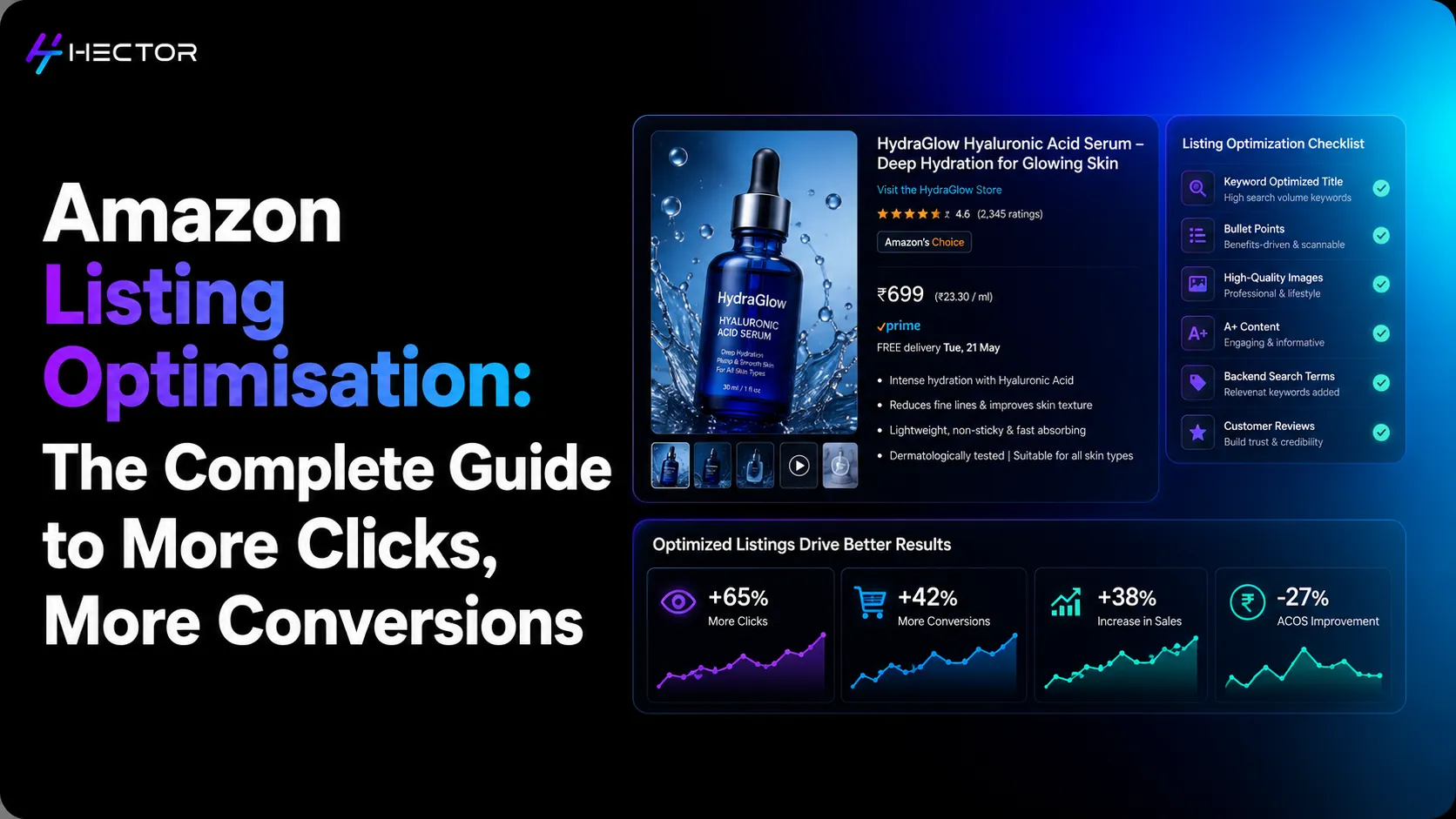
Two sellers. Identical products. Same FBA warehouse. Same price. The same Amazon customer searches the same keyword.
One listing gets the click. One doesn't.
The one that got the click has a primary image where the product fills the frame, on a white background, clearly showing the size and key features. The title leads with the primary keyword and hits three differentiating attributes before the shopper reads past the 80-character mobile cutoff. The one that didn't has a product image with shadows, a title that leads with the brand name nobody searched for, and bullet points that read like a spec sheet.
This is Amazon listing optimisation in plain terms: the difference between a listing that earns clicks and conversions, and one that earns neither.
Amazon listing optimisation is the process of improving every element of a product page: title, images, bullet points, backend keywords, pricing, A+ content, and reviews, to maximise two things simultaneously: your product's organic search ranking and your listing's conversion rate when shoppers arrive. The two objectives are connected because Amazon's search system is widely believed to consider conversion performance and sales performance. However, Amazon does not publicly disclose the exact ranking factors or their weighting. Listings that perform well often gain greater visibility over time, creating a positive cycle of increased traffic and sales.
In Hector AI's analysis of 4,200+ Seller Central accounts in 2025, sellers who activated Campaign Manager within 60 days of their first listing generated 3.1x higher GMV in year one compared to sellers who relied on organic traffic alone (Hector AI Internal Data, 2025). The listings those sellers built: the foundation that advertising spend amplifies, are the subject of this guide.
This guide walks through every element of an Amazon listing, explains what each one does for ranking and conversion separately, and shows how they connect to your advertising performance.
What Amazon Listing Optimisation Actually Means
The Two Jobs Every Listing Must Do Simultaneously
Every element of your Amazon listing serves two masters at once:
Amazon's search system, commonly referred to as "A9" in the industry, evaluates listing relevance and other performance signals to determine product visibility. Amazon, however, does not publicly use "A9" as the current name of its ranking algorithm or disclose exactly how it ranks products.
The human shopper: who arrives on your product page with a specific need, a limited attention span, and an instinctive first impression formed from your images before they read a word
The optimisation challenge is that the things that help you rank aren't always the things that convert, and the things that convert don't always help you rank. Great listing optimisation resolves this tension: building a title that Amazon's algorithm reads as highly relevant and that shoppers read as clearly describing what they're looking for, with images that convince both that your product is worth clicking.
Why a Good Product With a Bad Listing Consistently Underperforms
The single most common cause of underperformance on Amazon is not a bad product: it's a well-made product with a poorly constructed listing. The product is exactly what the shopper needs. But the listing doesn't describe it in the terms the shopper searches for. The images don't communicate their key qualities at first glance. The bullet points don't answer the shopper's primary objections before they leave.
The result: the product doesn't rank for the right searches, and the traffic it does receive converts poorly. Advertising spend drives traffic to the listing, but the listing's poor conversion rate turns those clicks into costs without sales. The ACoS is high, the rank stays low, and the advertiser concludes the product isn't working when the real problem is the listing.
The Product Title: Your Single Most Powerful Optimisation Lever
What Amazon Reads and What Shoppers Read
Your product title carries more ranking weight in Amazon's algorithm than any other listing element. Amazon uses your title to understand what your product is and to match it to relevant searches. Simultaneously, your title is the first text shoppers read when your listing appears in search results, and often the primary basis for their click decision alongside the main image.
The complexity: Amazon reads the full title (up to 200 characters in most categories), but shoppers on mobile see approximately 80 characters before the title is truncated. That means the first 80 characters of your title need to be optimised for the human reader, and the full title can carry additional keyword signals for Amazon's algorithm.
The Title Formula That Serves Both
Common Title Mistakes That Cost Ranking and Conversions
Five title mistakes that consistently damage listing performance:
Leading with the brand name nobody searched for: unless you're a known brand with high branded search volume, your primary keyword should come first
Keyword stuffing that reads unnaturally: Unnatural or keyword-stuffed titles can reduce readability and create a poor customer experience, making shoppers less likely to click on your listing. Focus on writing titles that are clear, descriptive, and easy to read while naturally incorporating relevant keywords.
Missing the primary keyword entirely: Evaluate whether your listing is indexed for your primary keyword using search testing and indexing tools. Keep in mind that Amazon search results can vary based on factors such as location, personalization, device, and your product's current ranking position.
Exceeding category character limits: oversized titles get truncated or suppressed by Amazon in some categories; check your category-specific limits.
Using prohibited terms: Avoid including unsupported subjective claims such as "best," "top," or "amazing" in backend search terms. Unsupported claims may violate Amazon's listing policies and generally don't add value to your keyword strategy.
Product Images: The Conversion Variable Most Sellers Underestimate
The Main Image: The Click Decision Happens Here
Your main product image determines whether a shopper clicks your listing when it appears in search results. Before they read your title, before they see your price, before they know how many reviews you have: they see the image. In the 300 milliseconds it takes to form a first impression, the image either earns the click or loses it.
Amazon's main image requirements: pure white background (RGB 255,255,255), product fills at least 85% of the image frame, no props, no text, no logos, no borders. Within these constraints, image quality: resolution, lighting, angle, and how much of the frame the product occupies, is entirely within the seller's control.
Supporting Images: The Buy Decision Happens Here
If the main image earns the click, the supporting images close the sale. A shopper who clicks through to your listing is evaluating: Does this product do what I need? Is it the quality I expect? Is it the right size? Supporting images need to answer these questions without requiring the shopper to read your bullet points.
The supporting image set that consistently performs best:
Lifestyle/in-use image: the product in context, used by a person or in an environment that reflects the target buyer. This communicates use case and scale simultaneously.
Detail/feature close-up: a tight shot of the most important material, mechanism, or feature. Shows quality at a level the main image can't.
Size/scale reference: the product shown next to a recognisable object, or a human hand holding it, or
Infographic image: key specifications and features listed visually on or around the product image. Converts specification-focused buyers without requiring them to read bullets.
Comparison or range image: the product shown alongside variants (colour, size) or in the context of the brand's product range. Encourages consideration of additional purchases.
Mobile-First Image Standards
Mobile devices account for a substantial share of Amazon shopping traffic, although exact percentages vary by market and data source. Because shoppers browse listings on smaller screens, product images need to remain clear, legible, and visually compelling, even at reduced sizes.
Mobile-first image optimisation means: main images that read clearly at 200px wide (not just at full zoom), supporting images with large text in infographics that are legible on a small screen, and lifestyle images where the product is immediately recognisable without zooming. Test your listing on a mobile device before and after any image updates.
Bullet Points: Where Keywords and Persuasion Share the Same Space
The Feature-Benefit Formula That Serves Both Rank and Conversion
Each of your five bullet points must accomplish two things simultaneously: include relevant keywords for Amazon's ranking algorithm, and communicate a specific reason to buy for the human shopper. The format that does both:
FEATURE (keyword-rich description of what the product has) + BENEFIT (specific, tangible outcome for the buyer).
Not: 'Stainless steel construction' (feature only, no benefit).
Instead: 'Double-wall stainless steel body keeps drinks cold for 24 hours: no condensation, no plastic taste, no flavour transfer' (feature with three specific benefits that address the top buyer objections in the water bottle category).
The keyword ('stainless steel') is present. The benefit is specific and addresses real buyer hesitations. The format serves the algorithm and the shopper simultaneously.
What to Put in Which Bullet
The five bullets have a conventional structure that most high-ranking listings follow:
Bullet 1: Primary value proposition. The main reason to buy this product over alternatives. Include primary keyword.
Bullet 2: Most important feature with its most important benefit. Often, the differentiating feature is that competitors don't match.
Bullet 3: Quality/material/construction point that addresses the most common buyer objection or concern.
Bullet 4: Use case or compatibility information: who this product is for, what it works with, and what contexts it's designed for.
Bullet 5: Packaging, warranty, or guarantee information. Often, the final objection handler is the one before the buyer decides to proceed.
The Character Length Reality and Mobile Truncation
Bullet point display varies by device, category, and marketplace. Since shoppers on mobile often see less content before truncation, place the most important benefit and key information near the beginning of each bullet so it's visible regardless of how the listing is displayed.
Backend Keywords: The Invisible Ranking Signals
What Goes in the Search Terms Field
Backend search term limits vary by Amazon marketplace, with many marketplaces using a limit of approximately 249 bytes. Since the limit is measured in bytes rather than characters, efficient keyword selection is important. English letters typically use one byte, while some special characters and non-Latin scripts may use more.
Use the backend field for: synonyms and alternate descriptions of your product, alternate spellings and US vs UK English variants, related use case terms not already in your title or bullets, common misspellings of product category terms, and secondary language terms if your product has cross-market demand.
A+ Content: The Conversion Multiplier for Brand Registry Sellers
What A+ Content Is and What It Does for Conversion Rate
A+ Content (Enhanced Brand Content) replaces the standard text product description with a rich media section that can include additional product photography, comparison charts, lifestyle imagery, text modules with headers, and brand story content. It's available exclusively to Brand Registry-enrolled sellers and vendors.
Amazon has reported that A+ Content may improve sales and conversion performance, although results vary significantly by category, product type, and implementation quality. Well-designed A+ Content can help shoppers better understand your product and make more informed purchase decisions. The mechanism: A+ Content provides additional visual and textual reassurance that reduces purchase hesitation, particularly for products where understanding the full benefit requires more space than five bullets allow.
The Module Types That Drive the Most Lift
The A+ modules that consistently deliver the highest conversion lift: the comparison chart (shoppers see the full product range and either buy the right variant first time or upgrade) and lifestyle imagery (product shown in the exact context the buyer imagines using it).
Pricing: The Fastest Conversion Signal You Control
How Pricing Affects Click-Through Rate and Buy Box Eligibility
Pricing appears in search results before a shopper clicks your listing. It's the second piece of information (after the image) that shoppers use to decide whether to click. A price outside the competitive range: either too high relative to comparable products or appearing to offer poor value for positioning, reduces click-through rate before the listing even gets a chance to convert.
For FBA sellers, competitive pricing is one of several factors that influence Featured Offer eligibility (formerly known as the Buy Box), which determines which offer appears with the prominent "Add to Cart" button. Amazon evaluates multiple factors, including price, fulfilment method, delivery speed, product availability, and seller performance, when determining Featured Offer eligibility. A product priced significantly above comparable offers may be less likely to receive Featured Offer placement, particularly when other sellers offer a similar customer experience.
The Pricing-Conversion Feedback Loop
Pricing influences conversion performance, which can affect how shoppers engage with your listing. Stronger sales and customer engagement may contribute to improved organic visibility over time, although Amazon does not publicly disclose how its search system weighs pricing, conversion performance, or sales signals. Greater visibility can drive more traffic, creating a positive feedback loop that reinforces listing performance.
This is why automated pricing rules that respond to competitive changes in real time are meaningfully more valuable than static manual pricing. A price that was competitive on Monday morning may be uncompetitive by Thursday afternoon if a competitor has run a promotion or adjusted their pricing strategy. A manual pricing review may not identify competitive price changes until the next scheduled review. Automated pricing tools may react more quickly than manual reviews, although actual update timing depends on the repricing system and Amazon's processing.
Reviews and Ratings: The Social Proof Signal You Can't Fake
Why Review Count Matters at Specific Thresholds
Reviews primarily influence shopper trust and conversion performance. While Amazon doesn't disclose exactly how its search system evaluates rankings, stronger customer engagement and conversion performance are widely believed to contribute to better product visibility over time.
Although the impact varies by category and competition, sellers often observe a few practical review milestones:
1–10 reviews: Establishes initial social proof. Shoppers recognize the product is relatively new, so many rely more heavily on review quality and listing content before purchasing.
25–50 reviews: Often represents an important credibility milestone. Products with stronger review profiles often convert better, although the exact lift varies significantly by category and product type. Higher review counts generally improve shopper confidence, although the number of reviews customers expect varies by category, product type, and price point.
100+ reviews: At this stage, shoppers typically focus more on the product's average rating, review quality, and recency than on review count alone.
The practical implication is to build authentic reviews as early as possible using Amazon-approved methods, such as Amazon Vine (for eligible Brand Registry sellers), the Request a Review feature in Seller Central, and consistent product quality that encourages positive customer experiences. Building a strong review profile during a product's early months can significantly improve shopper confidence and support long-term sales performance.
How to Accelerate Legitimate Review Acquisition
Amazon Vine Programme (Brand Registry): Amazon invites trusted reviewers to receive your product free of charge in exchange for honest reviews. Available for new products with fewer than 30 reviews. Cost per ASIN varies by programme tier.
Request a Review button: The "Request a Review" feature in Seller Central allows eligible sellers to request reviews within Amazon's specified eligible period after order delivery. Because Amazon may update this timeframe, sellers should refer to the latest Seller Central guidelines before sending review requests.
Product inserts (within Amazon's guidelines): packaging inserts that direct buyers to leave feedback, provided they don't incentivise positive reviews or direct buyers away from Amazon's review system.
How Listing Quality Multiplies Advertising Performance
The Listing-ACoS Connection Most Sellers Miss
Your ACoS (Advertising Cost of Sales) is your advertising spend divided by the revenue generated from your ads. The revenue component depends in part on how many ad clicks convert into purchases. For example, if your listing converts at 12%, every 100 ad clicks generates 12 sales. If it converts at 6%, the same 100 clicks generate 6 sales. Assuming advertising spend and average order value remain unchanged, attributed revenue would be lower, which could result in a higher ACoS.
Listing optimisation influences conversion performance, making it an important factor in advertising efficiency. Higher conversion rates can improve advertising efficiency and reduce ACoS by generating more sales from the same advertising spend. However, conversion rate is only one of several factors that influence ACoS. Bidding strategy, cost-per-click (CPC), competition, traffic quality, campaign structure, and average order value also play significant roles in overall advertising performance.
Why an Optimised Listing Makes Every Advertising Dollar Go Further
The relationship works in both directions:
Better listing → higher conversion rate → lower ACoS → same budget produces more profit → more budget available for advertising → more traffic → more conversions → better rank
Better rank → more organic traffic → more organic sales → more velocity signal to Amazon's algorithm → even better rank → reduced advertising dependency over time
The sellers who invest in listing quality before scaling advertising spend are not sacrificing growth speed: they're building the conversion foundation that makes growth sustainable. Advertising on a poorly optimised listing is like accelerating with the handbrake on. The motion is costly, and the progress is limited. Brands scaling beyond search can extend this advantage through Amazon Demand-Side Platform to reach high-intent audiences across Amazon-owned and third-party inventory.
Why Manual Listing Management Breaks at Scale: And How Automation Helps
Managing one listing through quarterly reviews is straightforward. Managing 50 listings across multiple categories, each with its own competitive dynamics, seasonality, and image standards relative to current top competitors, is a different operational challenge entirely.
Manual listing management at scale means: reviews happening late (because other priorities take over), pricing staying static for weeks while competitors adjust, A+ Content modules that made sense at launch but haven't been refreshed as the product's competitive position changed. The cumulative effect is listings that were optimised once and have been slowly falling behind ever since.
The Listing Optimisation Review Cycle
The 90-Day Review Cadence
Every Amazon listing should go through a structured review every 90 days. Not because anything necessarily needs to change, but because the competitive context around every listing changes continuously, and the only way to know whether your listing is keeping up is to look.
The 90-day review covers five questions:
Title: Does the primary keyword still match how shoppers are searching for this product? Check your SQP (Search Query Performance) data for shifts in search term patterns. Brands with Amazon Marketing Cloud access can layer SQP data with cross-campaign attribution insights to identify which listing elements are driving the strongest conversion outcomes.
Images: how do your main image and supporting image set compare to the current top 5 organic results for your primary keyword? Have competitors upgraded their visual standard?
Bullets: Do your bullets address the current top buyer objections? Check recent negative reviews for the objections your current bullets aren't answering.
A+ Content: Does your comparison chart still accurately represent your product vs current competitive alternatives? Are there new competitor features you need to address?
Pricing: Is your current pricing within the competitive range for Buy Box eligibility? When did you last check the 'Pricing Health' dashboard in Seller Central?
How to Prioritise Which Listings to Optimise First
For sellers with large catalogues, every listing cannot be reviewed simultaneously. Prioritise by:
Sessions with high traffic and low unit session percentage: high traffic means shoppers are finding the listing; low conversion means something in the listing is failing them. The potential impact of improvement is highest here.
Listings supporting active advertising campaigns: conversion rate improvements on advertised listings produce immediate ACoS improvement. The ROI on listing work is quantifiable and fast.
High-revenue ASINs: a 2% conversion rate improvement on a listing generating $50,000/month is worth $1,000/month in additional revenue. The same improvement on a listing generating $5,000/month is worth $100.