

You've spent months getting your product ready. The listing is polished. The images are clean. The packaging is done. The inventory is sitting in FBA, approved and ready to sell.
Day one goes live. You check your sales. Nothing. Day three: nothing. Day seven: one sale, probably your mum. You go back and check the listing. Everything looks right. The product is good. So why is nothing moving?
Here's what nobody tells you clearly enough before you launch: a new product on Amazon starts with zero sales history, zero reviews, and zero organic rank. Amazon's algorithm has no data to decide whether your product deserves to be shown to shoppers. Until it does, your product is invisible to anyone who doesn't search for exactly your listing's keywords, and even then, you're competing against established sellers with years of conversion history.
Advertising fixes this. But not just any advertising, a structured launch advertising strategy that matches the specific mechanics of how Amazon treats new products. The approach is fundamentally different from managing ongoing campaigns on established ASINs, and sellers who treat a launch the same as an optimisation cycle consistently underperform those who don't.
In Hector AI's analysis of 1,100+ product launch campaigns in 2025, brands using a structured 3-phase launch approach, Discovery, Harvest, and Scale, reached their target ACoS 47% faster than brands running a single broad campaign throughout the launch period (Hector AI Internal Data, Jan–Dec 2025). The difference is systematic, repeatable, and built on how Amazon's ranking algorithm actually works.
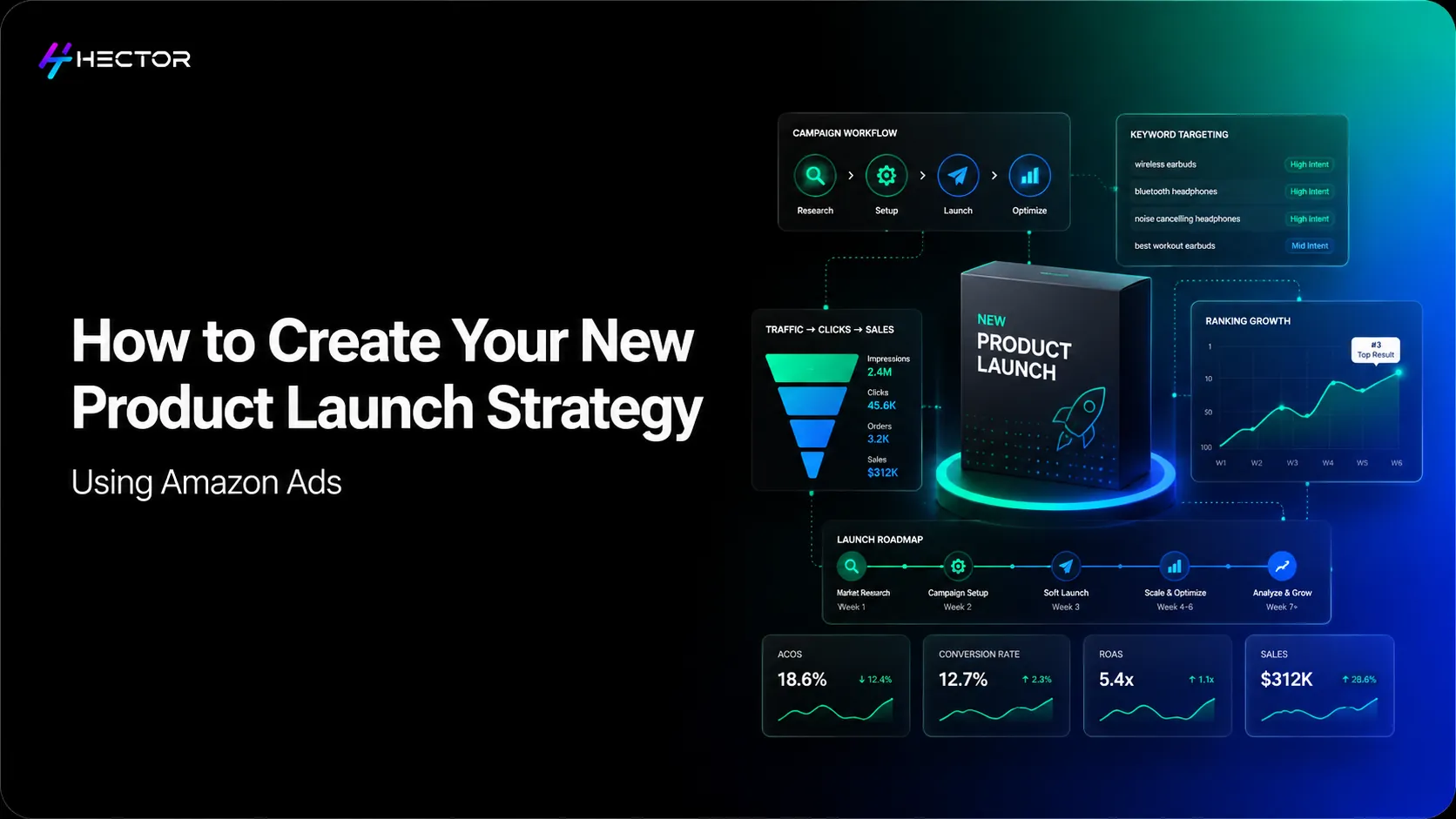
This guide walks through the full launch advertising strategy: what to prepare before your first ad goes live, how to structure your campaigns across three distinct phases, when to switch from manual to automated management, and how to know when your launch is actually working.
Why Launching on Amazon Requires a Different Ad Strategy
Managing advertising for an established product with two years of sales history is an optimisation problem. You have conversion data, keyword performance history, a known ACoS baseline, and a review score that does part of the conversion work for you.
Launching a new product is a rank acquisition problem. You have none of the above. Your ACoS will be higher than your long-term target. Your conversion rate will be lower than it will eventually be. Your keyword bids will feel like guesses until you have data. All of this is expected and correct; you're buying data and position.
The Amazon Honeymoon Period: What It Is and Why It Matters
The honeymoon period is not guaranteed, and its duration varies by category and competition level. Early sales velocity and conversion performance often appear to have a strong influence on a new product’s ranking momentum, particularly in the early stages after launch. However, Amazon has not publicly disclosed how ranking signals are weighted over time. Advertising during this window is about feeding Amazon's algorithm the data it needs to give your product organic visibility.
How Launch-Phase Metrics Differ from Ongoing Campaign Metrics
Pre-Launch Preparation: What Must Be in Place Before You Go Live
Running advertising to a listing that isn't ready is the most efficient way to waste a launch budget. Every click your ads generate goes to your listing. If the listing doesn't convert, the ad budget is gone, and you've generated no rank signal, the worst possible outcome.
Listing Readiness Checklist
Before your first ad goes live, confirm these are in place:
• Title, contains primary keyword, brand name, key differentiating attributes (size, colour, material). Under 200 characters.
• Bullet points, five complete, benefit-led statements. Not features alone, feature + customer outcome for each.
• Images, minimum 7, including product-on-white hero, multiple angles, lifestyle/in-use image, and a size comparison or scale reference image.
• Backend search terms are subject to byte limitations that can vary by marketplace and field type. Amazon generally recommends using concise, relevant, and non-repetitive terms rather than focusing on filling the entire available limit.
• Price, positioned competitively for your category. Not the cheapest, but within the range a new-to-brand buyer would consider credible.
• Amazon states that A+ Content can improve product visibility, engagement, and conversion performance, though the actual impact varies significantly depending on category, content quality, and execution.
• FBA inventory confirmed, stock approved, and Available in fulfilment centres. Do not launch before inventory is Prime-eligible.
Setting Your Launch Budget: A Practical Framework
The most common launch budgeting mistake is setting the same daily budget as you'd run for an ongoing campaign. Launch campaigns run inefficiently by design; you're buying data. Your ACoS will be above target. Your CPCs may be higher as you test keyword competitiveness. Budget accordingly.
Competitive Benchmarking Before Your First Ad Goes Live
Before launching ads, spend 30 minutes understanding the competitive advertising landscape for your top 5–10 target keywords. Search each one on Amazon in incognito mode. Note:
• How many Sponsored Products appear? (More = higher competition, higher CPCs)
• Are the sponsored listings established brands with thousands of reviews, or a mix of newer sellers?
• What price point are the sponsored products at? If your price is significantly above the sponsored results, your conversion rate will struggle regardless of ad spend.
• What does the Sponsored Brands banner show? If major brands dominate it, Sponsored Products is your entry point, not Sponsored Brands.
This reconnaissance doesn't change your launch plan, but it calibrates your expectations. A category where every sponsored result has 5,000+ reviews will require more budget and a longer timeline to build a competitive position than one where the sponsored ads mix new and established products.
Phase 1, Discovery: Running Your First Launch Campaigns
The first phase of your launch, weeks 1 through 3, is about one thing: finding out which search terms your buyers actually use. You don't know yet which keywords will convert for your specific product at your specific price point. You have hypotheses. Phase 1 is where you test them against reality.
The Auto Campaign as Your Launch Engine
Your primary Phase 1 campaign is a Sponsored Products auto campaign. Amazon’s auto campaigns match ads to search queries and products it considers relevant based on listing content, category signals, and shopper behavior data. For managing your Amazon Sponsored Ads efficiently, a structured campaign setup is essential. Every click records the search term the shopper used. This search term data is your most valuable launch asset.
What to Expect in Weeks 1–2, And Why Not to Panic
Your Phase 1 campaigns will look inefficient. New product launches often experience elevated ACoS in the early phase due to limited reviews, low initial conversion history, and still-developing ranking signals. However, the degree of variation depends on category competitiveness and listing strength. Every click costs real money, and conversion rates are low because shoppers have no social proof to validate their decision.
This does not mean your campaign is failing. It means you're paying for the data and rank signals that will make weeks 3–12 significantly more efficient. The sellers who panic and pause campaigns in week one are the ones who waste their launch opportunity; they interrupt the signal-building process at exactly the wrong moment.
Phase 2, Harvest: Building Your Manual Campaign Structure
Starting in week 3, your auto campaign has generated 14+ days of search term data. Now the work shifts from discovery to qualification and harvest. You're looking for two things in your search term report: the terms that convert (to promote to manual campaigns) and the terms that waste spend (to eliminate with negatives).
Mining the Search Term Report for Conversion Winners
Download your search term report from Campaign Manager → Reports. Sort by conversions, high to low. For every term with at least one conversion and an ACoS at or below your launch tolerance (which will be higher than your long-term target, accept this during launch, and add it to your harvest list.
Don't filter by spend alone. A term that spent $12 and produced two conversions at 18% ACoS is a significant finding; it converts, and it converts profitably. That term needs a dedicated exact-match campaign with a properly calibrated bid, not to stay buried in an auto campaign's undifferentiated targeting.
The Exact-Match Harvest Campaign Setup
For every search term on your harvest list, create or add to a dedicated exact-match campaigns often delivers higher conversion efficiency due to tighter targeting control and more relevant search term alignment.
Negative Keyword Management During Launch
Negative keywords during launch serve a slightly different purpose than in an established campaign. You're also protecting your converting keywords from dilution by ensuring your auto campaign stays focused on discovery, not cannibalising your manual campaign's exact-match terms.
For a $75/day launch budget, 23% waste is $17.25 per day, $517.50 per month, funding clicks that were never going to convert. Add obvious negatives from week one (competitor brand names, unrelated categories, any zero-conversion, high-spend terms from your auto campaign report). Then add harvested exact-match terms as negatives in your auto campaign every 7 days.
Phase 3, Scale: Moving from Visibility to Profitability
By week 8, your launch should have produced enough data to make clear decisions. Your search term report has a meaningful conversion history. Your exact-match harvest campaign has a library of proven keywords. Your ACoS is trending downward as your review count builds and your conversion rate improves.
Phase 3 is the transition from rank acquisition to profitability optimisation. The objective shifts from 'build visibility' to 'extract maximum value from the visibility you've built'.
When to Reduce Spend and When to Push Harder
Two signals tell you it's time to begin tightening ACoS targets and reducing launch-phase overspend:
• Your conversion rate is approaching your category's benchmark (check Brand Analytics for category data if available)
• Improving organic visibility across target keywords is commonly used as an indicator that launch momentum is strengthening and that the product is gaining search relevance over time.
At this point, begin reducing daily budgets on your auto campaign (which should now be serving primarily as a secondary discovery tool) and focus spend on your exact-match manual campaign's highest-converting terms. Your bid strategy shifts from competitive-to-win to efficient-to-profit.
Expanding to Sponsored Brands and Sponsored Display
Once Sponsored Products are performing at or near your target ACoS, add Sponsored Brands (if Brand Registry eligible) on your top-converting search terms. Consider scaling with Amazon DSP once your Sponsored Products campaigns are profitable. Sponsored Brands commonly appear in prominent placements near the top of search results, though their exact positioning can vary based on device type, search query, page layout, and auction dynamics.
Add Sponsored Display views retargeting for shoppers who visited your product detail page but didn't convert. By week 8 of a successful launch, you have enough page traffic to build a meaningful views retargeting audience. The shoppers who visited during your launch, particularly those who came back to check reviews as they accumulated, are warm, high-intent audiences worth re-engaging.
Why Manual Campaign Management Breaks During Launch, And What to Do Instead
The launch period is the most data-intensive phase of any Amazon advertising lifecycle. In 30 days, your campaigns will generate more search term data, more bid adjustment opportunities, and more keyword qualification decisions than an equivalent period of established campaign management.
The Launch-Specific Management Problem
During launch, a seller managing the process manually faces two competing pressures: the speed pressure (data from auto campaigns needs to be harvested and acted on frequently, every 7 days rather than every 14, because the honeymoon window is closing) and the volume pressure (the more effective your auto campaign is, the more data it generates, and the more decisions that data requires).
A typical 30-day launch generates 2,000–5,000 search term rows across auto and manual campaigns. Identifying converting terms, qualifying them against launch-phase ACoS thresholds, moving them to exact match, adding negatives, adjusting bids on week-old terms, manually, is a 6–8 hour exercise done every 7 days. For sellers managing multiple SKUs or running parallel launches, the maths breaks immediately.
How Automated Bid Rules Support the Transition from Launch to Scale
Automated bid rules for launch campaigns operate on a tighter cadence than ongoing campaign automation. The rules are calibrated to the launch-phase reality: higher tolerance for short-term inefficiency, faster response to conversion signals, and automatic bid increases on terms showing conversion momentum before a weekly review would catch them.
From week 3 of launch, automated rules can monitor each search term in the auto campaign daily, identifying terms that meet conversion and ACoS thresholds and flagging them for harvest, rather than waiting for a human to run the search term report each week. They can also automatically reduce bids on auto campaign terms once they've been harvested to exact match, preventing the internal competition that erodes both campaigns' efficiency.
Measuring Your Launch: The Metrics That Actually Tell You It's Working
ACoS and ROAS tell you advertising efficiency. They don't tell you whether your launch is succeeding. Three other metrics tell you the real story.
BSR, Organic Rank, and Conversion Rate as Launch Health Signals
• Best Seller Rank (BSR) is an indicator of a product’s relative sales performance within its category, though Amazon does not disclose the exact calculation methodology behind it.
• Organic rank, track where your product appears organically for your 5–10 target keywords. Use a third-party rank tracker or manually search your keywords. When your organic rank moves from page 3 to page 2 to page 1, your launch advertising investment is producing the intended algorithmic effect.
• Conversion rate: Increasing review count and stronger listing credibility can contribute to improved conversion rates over time, alongside other factors such as pricing, listing quality, and overall product-market fit.
When to Declare the Launch Phase Complete
A product launch phase is complete when three conditions are met simultaneously:
• Your ACoS is at or below your break-even threshold for two consecutive weeks
• At least 3–5 target keywords are ranking organically on page 1 or 2 without requiring ad placement
• Your conversion rate is within 2–3 percentage points of your category benchmark
When all three conditions are true, your campaigns can transition from launch-phase settings (higher budgets, higher ACoS tolerance, broad discovery) to ongoing optimisation settings (tighter ACoS targets, precision exact-match focus, automation-supported bid management).